Measure your group from a photo, at any angle.
MOA Calculator: Shot Groups measures shot groups from a photo of your target. Tap the four corners of a rectangle you know the size of and each hole; the app removes the camera tilt and gives the group size in inches, MOA or MIL, plus the clicks to zero your scope.
US$9.99 one time · No subscription, account or ads · Works offline
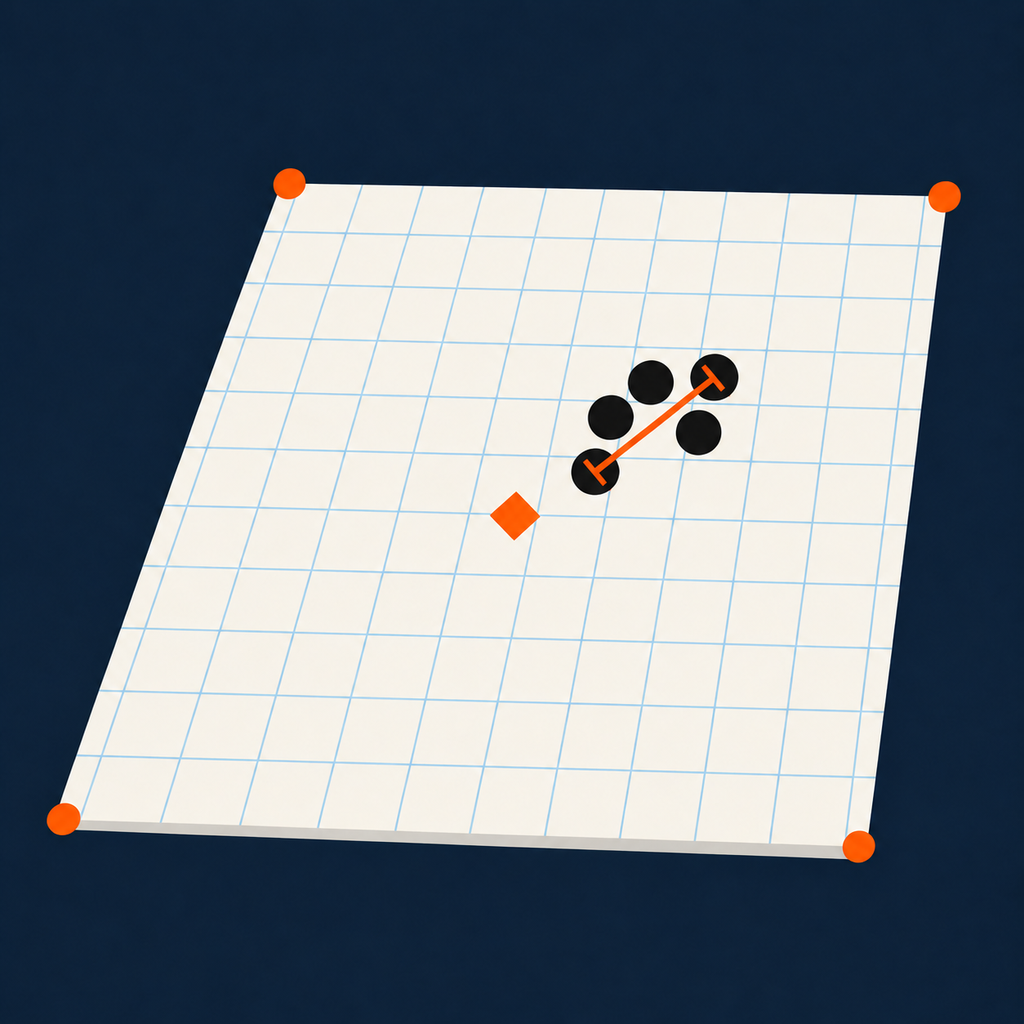
Group size, offset and clicks to zero, from one photo.
The four corners you tap define the target plane, so a photo taken from the bench is measured as if you stood square to the target. A squared-up view shows the group to scale.
Extreme spread centre to centre, mean radius, horizontal and vertical standard deviation, and how far the group centre sits from your point of aim.
Up or down and left or right, in clicks for 1/4, 1/8, 1/2 or 1 MOA, or 0.1, 0.05 or 0.2 MIL, at your distance in yards or metres.
Any rectangle you can measure works as the reference: a US Letter or A4 sheet, a square target, or a block of grid squares.
Keep several groups in a session with notes and see all their holes combined, each group aligned on its own point of aim.
Share every group and shot as CSV, or an annotated image of the target with its results. Nothing else leaves the device.
Three steps, under a minute.
Of the sheet or any rectangle of known size, and enter its width and height.
The blue cross starts at the centre of the rectangle; drag it to where you aimed.
Zoom in, drag a mark with the magnifier to fine-tune, then read the results.
The app does not find holes by itself: you tap each one, so you decide where every centre is. A sample target is built in, so you can try it before your next range trip.
Before you download.
How do I measure my shot group from a photo?
Photograph the target with a rectangle of known size in view, such as the whole sheet. In MOA Calculator, tap the rectangle's four corners and enter its size, set your point of aim, and tap the centre of each hole. The app gives the extreme spread, mean radius and offset in inches or centimetres and in MOA or MIL at your distance.
Does the photo have to be taken straight on?
No. The four corners you tap tell the app how the target is tilted, and it removes that perspective before measuring, so a photo from your bench at an angle works. Keep the target flat, and fill the frame with it: the app does not correct lens distortion, which grows toward the edges of a wide-angle photo.
Why not just measure the group with calipers?
Calipers work if you have the paper in hand. The usual method measures the two farthest holes outside edge to outside edge and subtracts the bullet diameter, but holes in paper often close up smaller than the bullet, so that subtraction understates the group (The Truth About Guns). Tapping hole centres avoids the subtraction and also gives mean radius, SD and the offset from your point of aim.
What is the difference between MOA, shooter's MOA and MIL?
One minute of angle (MOA) is 1/60 of a degree, about 1.047 inches at 100 yards (minute of arc). Shooter's MOA rounds that to exactly 1 inch at 100 yards. One MIL is a thousandth of a radian: 3.6 inches at 100 yards, or 10 centimetres at 100 metres (milliradian). The app shows any of them, set to true MOA by default.
How many clicks do I need to zero my scope?
Divide how far the group centre sits from your point of aim, as an angle, by your scope's click value. A group 1 inch high at 100 yards is about 0.95 MOA, so with 1/4 MOA clicks you dial 4 clicks down. MOA Calculator does this for you, for both elevation and windage.
How accurate is it?
As accurate as your taps and your reference rectangle. Use the largest rectangle you can, zoom in, and tap hole centres carefully. In our test, a rendered photo of a 1.000 inch five-shot group, taken 30 degrees off square through a simulated phone lens, measured 0.998 inch.
Is there a subscription?
No. MOA Calculator: Shot Groups is a one-time purchase of US$9.99 with every feature included: no subscription, account, ads or tracking. Prices outside the US vary by country or region.
Know your group size before you pack up.
